
I may earn commission if you use my affiliate links to purchase products: More details.
A portfolio website is a good place to display your professional work, business, skills, and arts to attract freelance clients or customers. With the rise of AI tools, it’s quite easy to build a website without hiring a developer. However, there are some restrictions and challenges when it comes to hosting a website.
A web host is a place where you can store website files to display them to the public; while there are a lot of website builders, not every platform offers hosting. To host your website, you need to find a decent web hosting server that stays online 24 hours.
There are two types of WordPress: WordPress.org is an open-source Content Management System (CMS) software that you can use to build blogs or websites by purchasing a web host. While WordPress.com is a private company that offers both hosting and the core website builder software.
WordPress.com takes care of everything, from hosting to secure software with constant security updates. You can build any website without hiring a developer.
Why should you build a Portfolio Website?
There are many reasons to start a Portfolio website, but below are some of the important ones that’ll help you build your career.
Display your skills
A portfolio website is a great place to display your skills, work, or art online. It can bring you potential clients or land you a good job.
It works as an online resume where you can list your skill sets with proof of your services. You can also display your arts, such as painting, tattoos, completed projects, etc.
Branding
This blog (www.adithyashetty.com) used to be my personal domain; I turned it into a digital agency for web-related services. So whenever anyone searches for my name, this website will show up on the front page of Google.
Building a Portfolio website is a great way to establish authority and online presence.
Platform Ownership and Control
Unlike third-party platforms like social media or YouTube, where you have zero control, having your own website gives you the freedom to do and post what you like.
Imagine building a huge user base on a third-party platform only to get restricted or banned; all your content and work will be lost. With a website, you can collect and build a personal subscriber list.
Why build a website on WordPress.com?
There are many premium and open-source platforms to build a website. In recent days, you can even use AI tools to build one within minutes.
But the question is, are they sustainable? Do they offer hosting or customer support? WordPress.com provides everything, from a free domain for the first year to customer support.
Affordable pricing
The pricing structure of WordPress.com is quite simple and suitable for small and large-scale businesses.
Personal: The basic pricing of the WordPress.com plan starts from $9 per month or $4/mo annually.
Premium: $18 per month or $8/mo on an annual payment
Business: $18 per month or $8/mo on an annual purchase
Commerce: $70 per month or $45/mo annually
WordPress.com also offers 14-day refunds on annual purchases and 7-day refunds on monthly purchases. So you can try out its features and test them without risk.
Hassle-free web hosting
Managing a self-hosted website is not an easy task; it comes with several headaches: not all web hosting companies offer a decent server, you might face downtime, and you might face hacking or DDoS attacks.
WordPress.com offers a hassle-free solution to your hosting woes; the base plan includes up to 6 GB of storage for your website files.
Customer support
While many web hosting providers do offer customer support for the self-hosted website, most won’t fix the issues you face related to the applications or CMS you have installed on the server.
However, with WordPress.com, you don’t have to worry about these things because the core software is maintained by the WordPress team. They offer free customer support for all plans.
Performance
Since the server side of your website is taken care of by the company, you don’t have to worry much about server optimizations.
A website hosted on WordPress.com will load relatively faster than the average web hosting company. Additionally, they have their own built-in global Content Delivery Network to accelerate load times and reduce bandwidth. This can be achieved by just installing a free plugin called Jetpack (add-on).
Let’s build a Portfolio Website with WordPress.com.
In this guide, I’ll share a beginner’s guide to creating a Portfolio website with WordPress.com. Let’s get started.
Creating an account
Visit the WordPress.com website and click on the Get Started button. Then sign up to create an account with the available options; you can use an email or use an existing Google or Apple account to sign up.
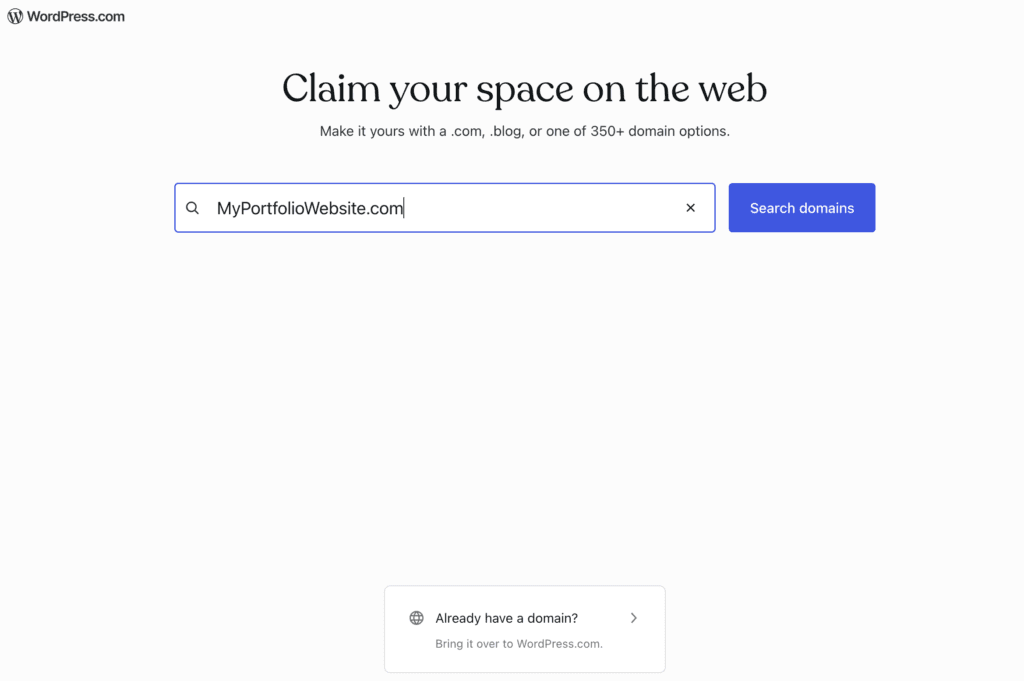
A new page will open up; here you can search for a new domain name to register or use an existing domain to start your Portfolio website.
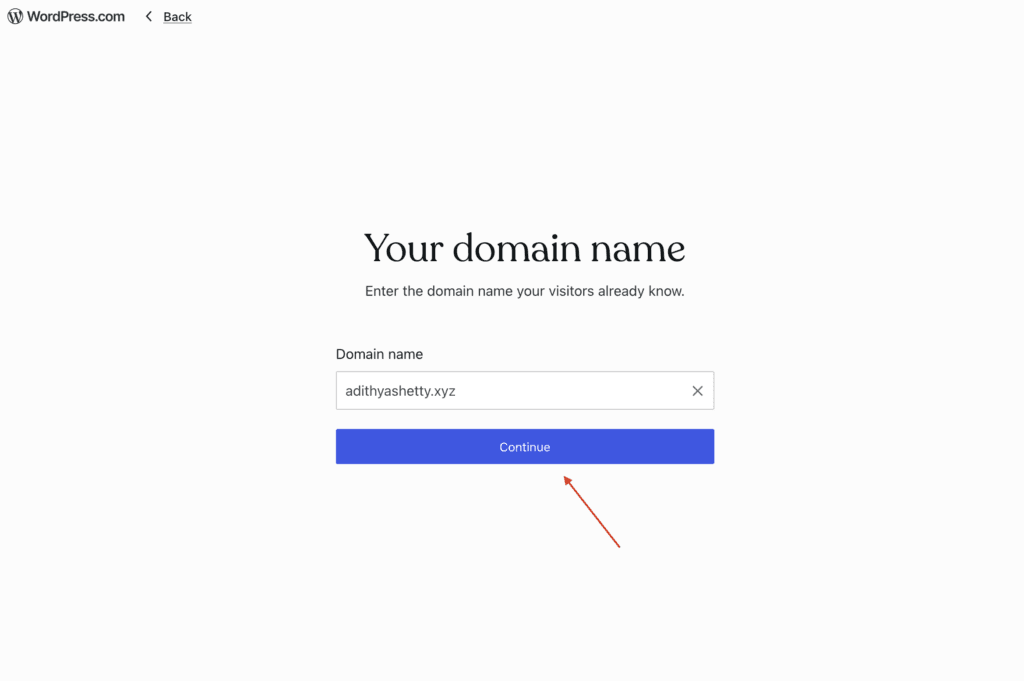
Since I already have a domain name, I’ll be using it in this example.
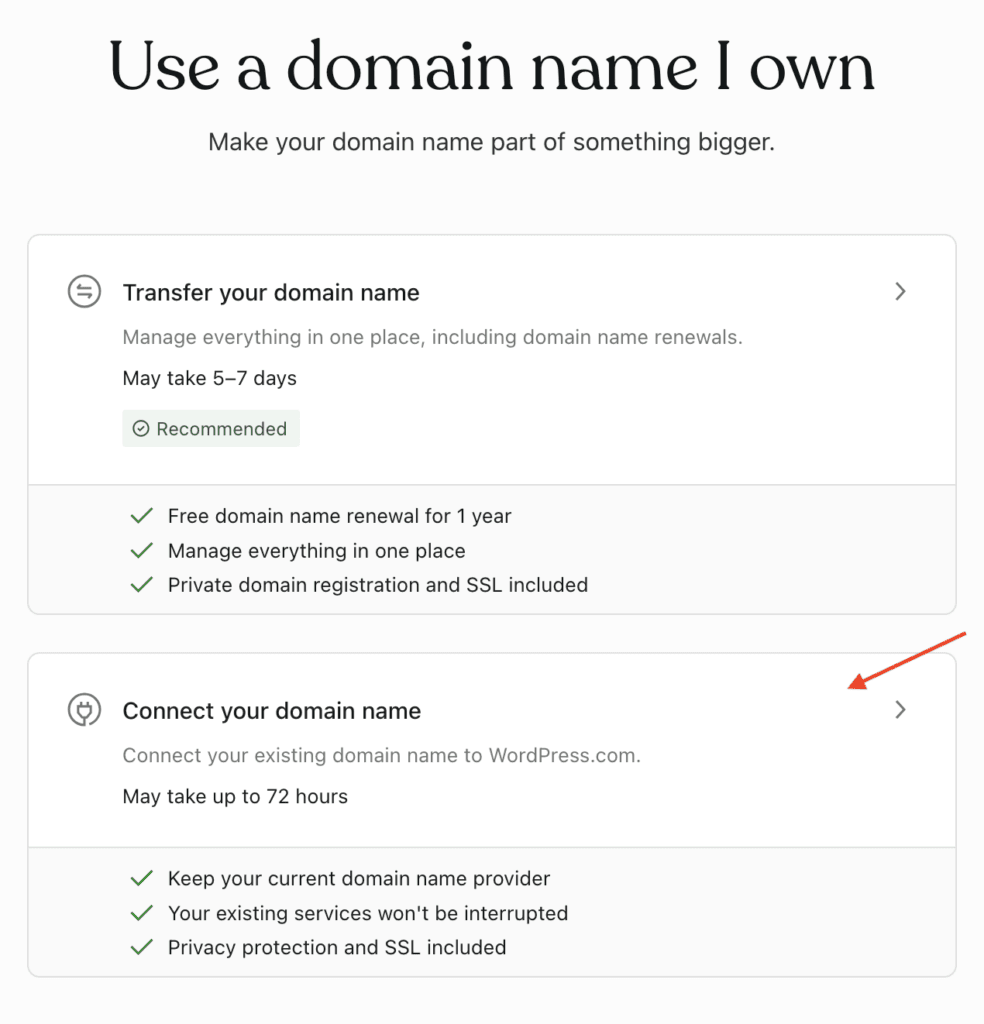
My domain name is registered at NameCheap, so I’ll select the option below to connect with it.
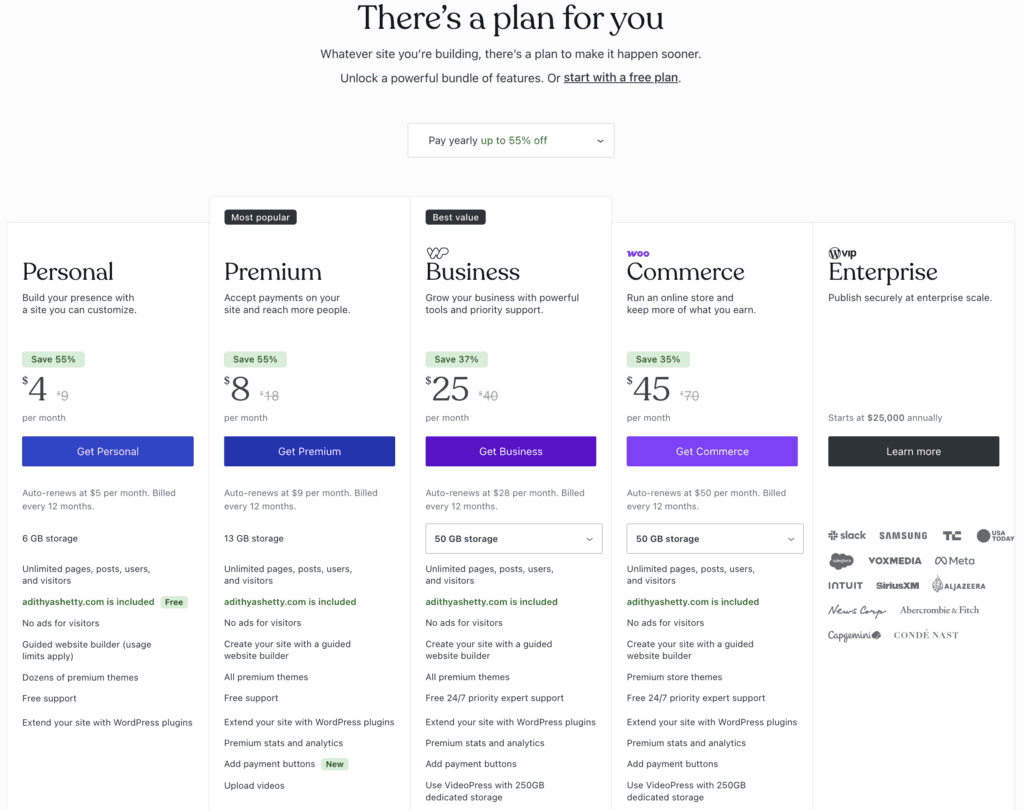
It’s time to select your preferred plan that suits your needs. A payment gateway page will open up where you can complete the purchase.
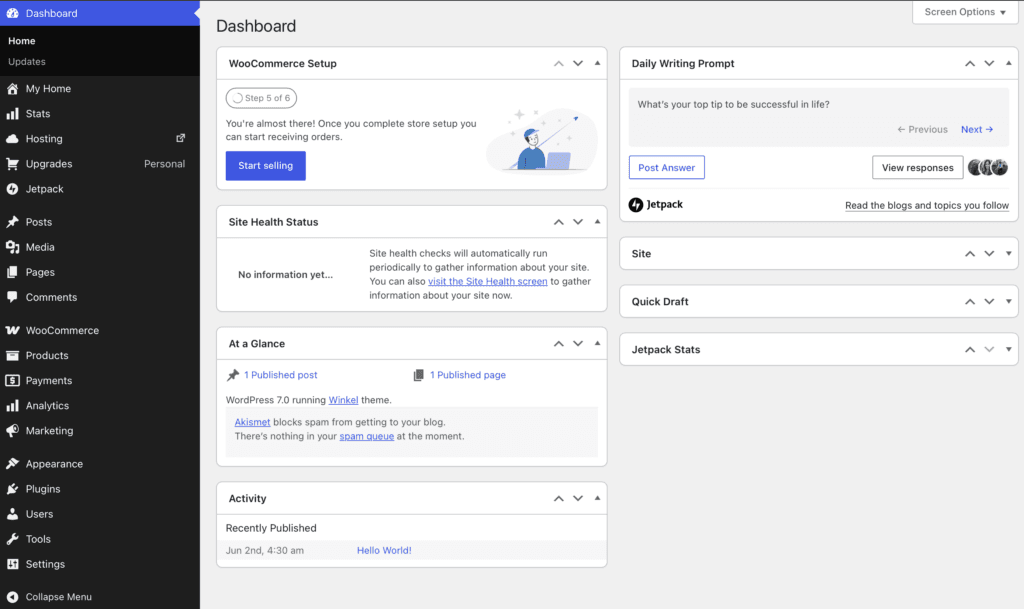
Once you make the payment, you’ll be able to log in, and the dashboard will look like this.
Connect your domain name.
Now you need to connect the domain name with your registrar; in my case, NameCheap is where I registered my domain name.
Let’s connect it using the name servers provided by WordPress.com
On your WordPress dashboard, click on Domains from the right corner, then click Manage DNS.
A new page will open up; then click on Update your name servers now.
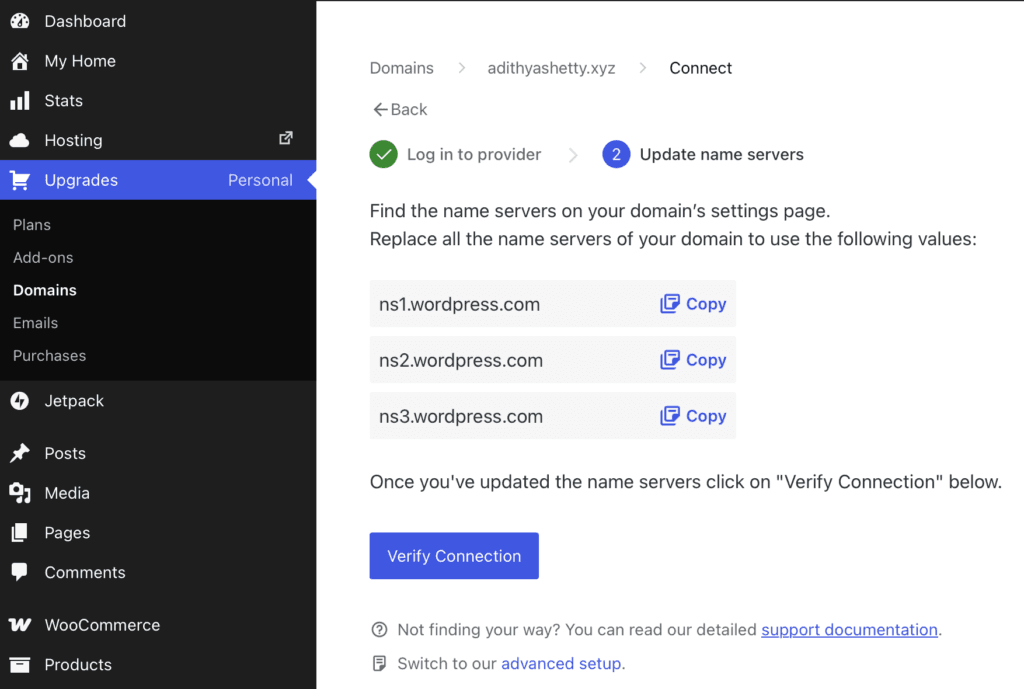
WordPress will display the three name servers that you have to copy and paste it on your domain registrar.
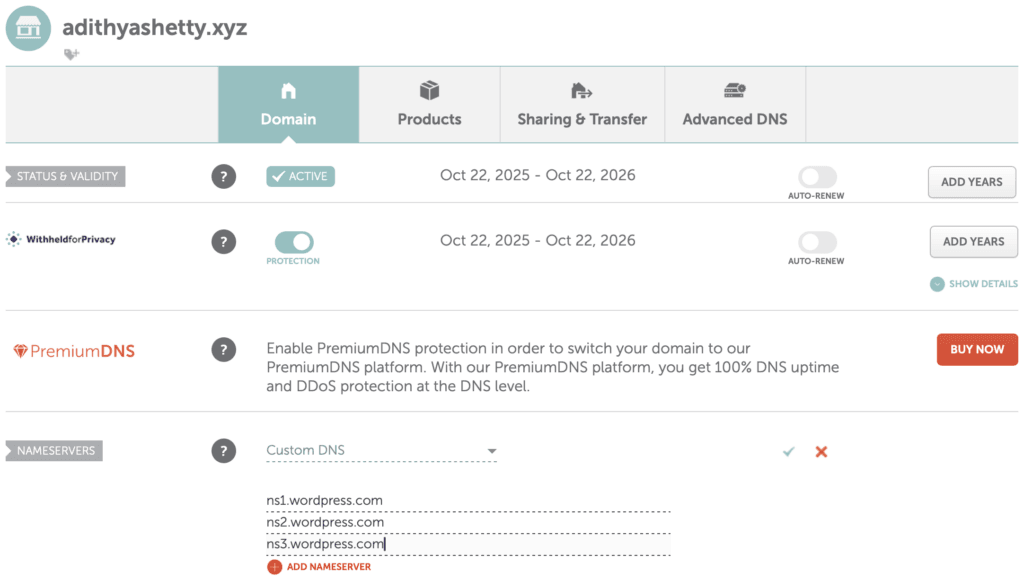
As shown in the above screenshot, I’ve updated WordPress.com name servers on the domain registrar.
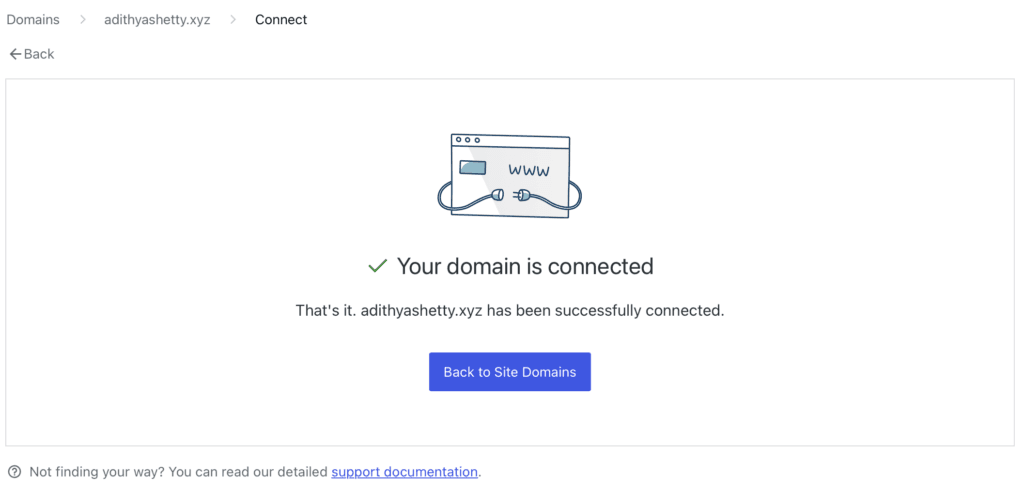
Now come back to the WordPress.com Domains dashboard and click Verify Connection. It might take a while, but once connected, you’ll see the above message.
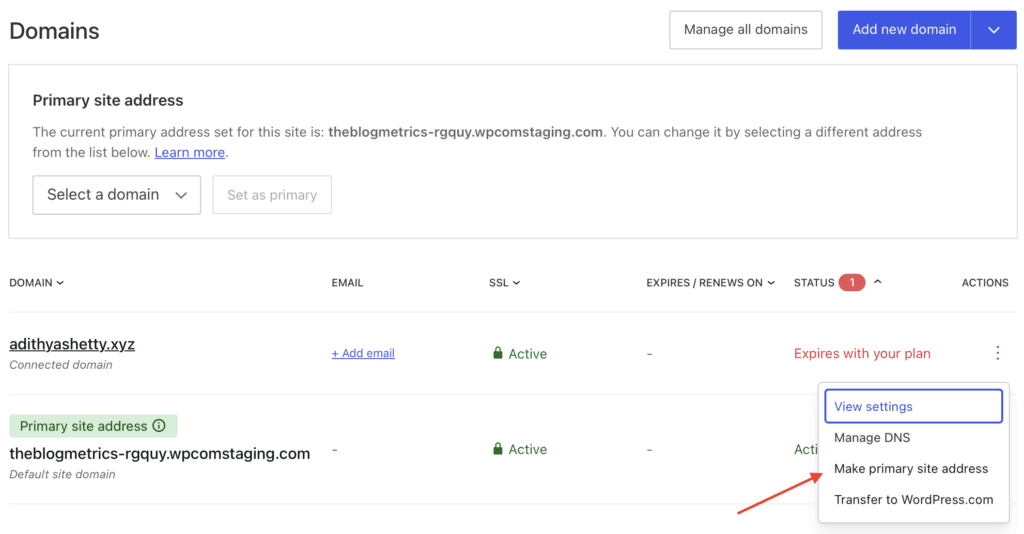
Once the domain is connected, it’s time to make it a primary address. Click on Make primary site address as shown in the image.

Almost done now; your homepage will look similar to this with a default theme.
Installing a Portfolio theme
The good thing about WordPress is that it offers hundreds of free and premium themes in its directory.
You can browse and install a preferred Portfolio theme that suits your business or brand.
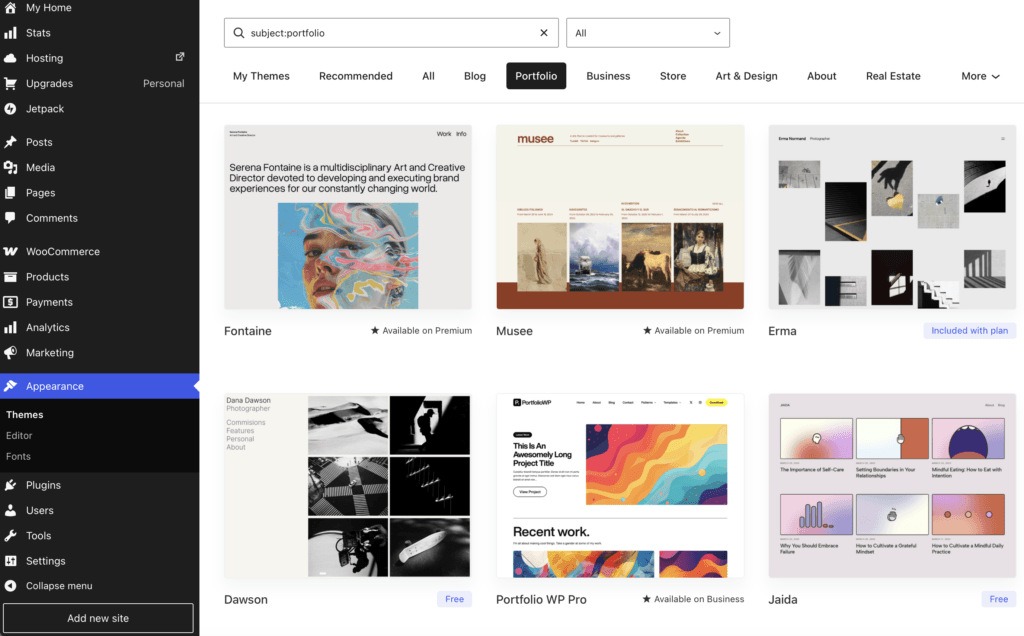
You’ll see some premium themes that are included with your plan.
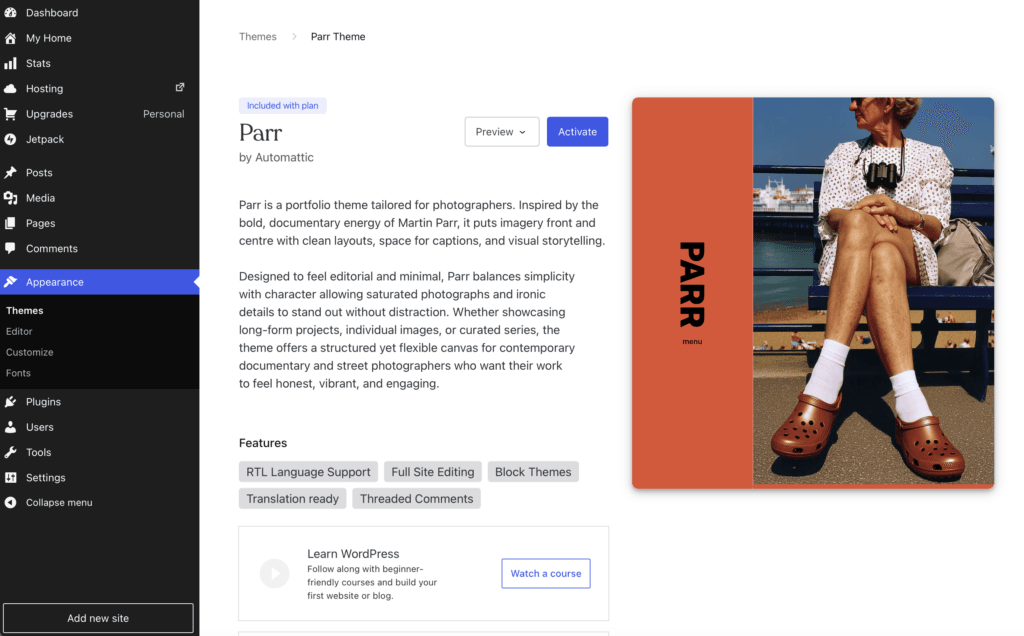
I have picked this theme called Parr, which is included in my plan. You install and activate the theme by clicking the Activate button.

That’s it! You have just launched your own Portfolio website. Now, you can easily add pages, change the homepage cover image, add photos, and display them in the gallery. You can also edit the homepage template, change the color, title, fonts, etc.
Adding pages
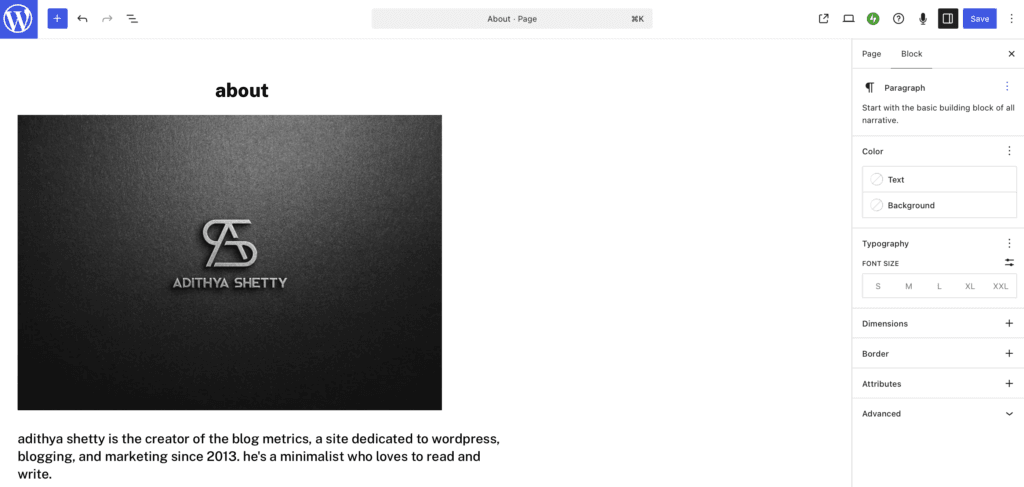
New pages can be added by clicking Pages> Add Page on the right side of the WordPress dashboard.
You can also edit the homepage template, change the color, title, fonts, etc.
Editing pages with the block editor
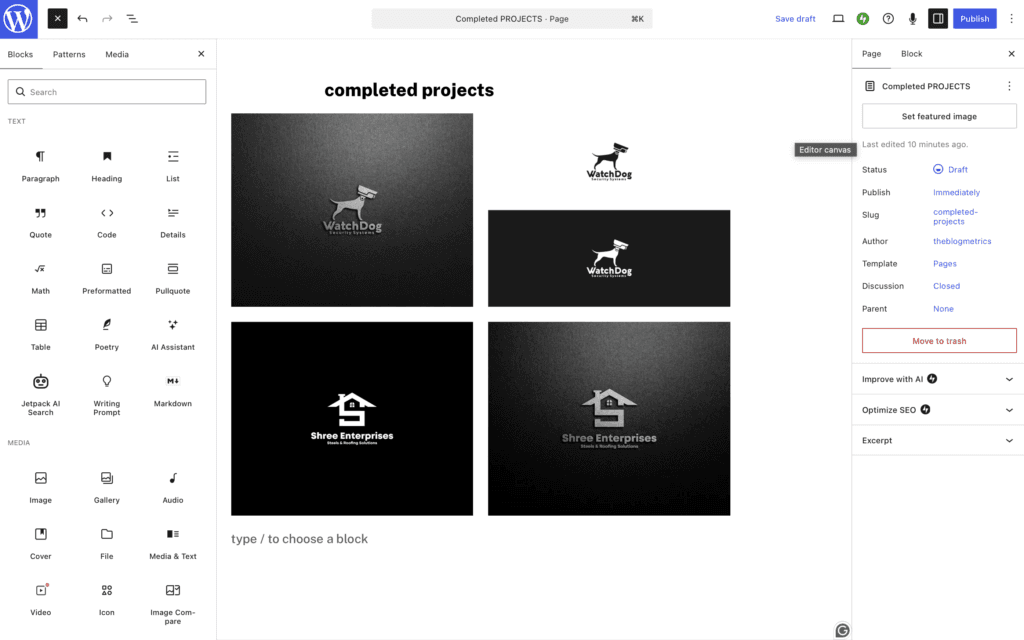
WordPress uses a block editor called Gutenberg that lets you create beautiful pages, design an entire site using a block theme, or use pre-built layouts without having to learn any technical skills.
Here you will get to pick from hundreds of blocks and patterns to design your portfolio website the way you want. For example, you can add a gallery to any page with the Gallery block, or embed a YouTube video with a separate block.
You could also add a Contact Form, Appointment Form, Registration Form, etc., all within the block editor.
Pros and Cons of WordPress.com
Pros
- Free domain name for the first year
- Affordable pricing
- WordPress.com takes care of core security updates
- Customer support for all premium plans
- Content Delivery Network (CDN) is included on all plans with a plugin
Cons
- Limited features on plugins and themes for base plans
- You need a commerce plan for a 0% platform transaction fee when using standard WooCommerce payment setups
- Requires a bit of a learning curve
- No SFTP/SSH, WP-CLI for lower-level plans
Final Verdict
With WordPress.com, you can build not just a portfolio website; you can also build a business, real estate, or e-commerce website with it, which I recently demonstrated on my other blog.
While there are some website builder platforms like Wix and Squarespace, the biggest advantage of WordPress that sets it apart from its competitors is its affordable pricing.
Do I recommend WordPress.com? Yes, although all my websites are hosted on self-hosted open-source WordPress, it’s the same Automattic team that maintains and updates the core software.